Most retailers who go looking for retail software development do not need a new system. They need the systems they already run, the till, the online store and the accounts, to agree with each other about stock, orders and money. The software worth commissioning is usually the layer in between, built in the order the business feels the pain.
This guide is for a retailer, or a product lead at one, who has outgrown spreadsheets and plugins and is talking to developers for the first time. You may have a few shops and a website, or a website that has started selling through stores and marketplaces. Either way, the questions are the same: what to build, what to keep buying, and what to do first.
We will not pretend there is a single answer. A two-shop fashion retailer and a forty-store grocer have different problems. But the problems arrive in a predictable order, and each one has a known shape. That is what this guide walks through, from stock to orders, returns, store tools, integrations, build order and cost.
What retail software usually means once you list the problems
Ask a retailer what they want built and the first answer is often a product: an app, a new website, a dashboard. Ask what goes wrong on a busy Saturday and the list is different, and far more useful:
- The website sold something the shop sold an hour ago, and now someone has to phone a customer.
- A customer wants to collect an online order in store, and staff cannot see it.
- A return bought online and brought into a shop puts the stock back in the wrong place, or nowhere.
- Head office cannot see sales by store until someone exports and merges files on Monday.
- The accounts never quite match the till totals, and nobody knows which side is wrong.
Every item on that list is a disagreement between two systems. None of them is fixed by a new storefront. That is why the most valuable retail software is rarely the most visible: it is the part that makes stock, orders, returns and money mean the same thing everywhere.
When retailers do commission something new, it tends to fall into one of these:
- A stock service that holds the one true count per product per location, and that every channel reads and writes through.
- An order service that routes online orders to a warehouse or a shop and tracks them through to collection or delivery.
- Store staff tools: picking, stock counts, customer lookup and returns, usually on a phone or a handheld.
- Integrations between the till system, the e-commerce platform, the accounts and any marketplace you sell on.
- Reporting that shows sales, stock and margin by store and channel without a Monday export.
One stock number across shops and online
Overselling is often the problem that pushes a retailer to commission software, and it is easy to solve badly. The cause is simple: the till and the online store each keep their own count, and they talk to each other on a schedule. Between syncs, both can sell the last unit.
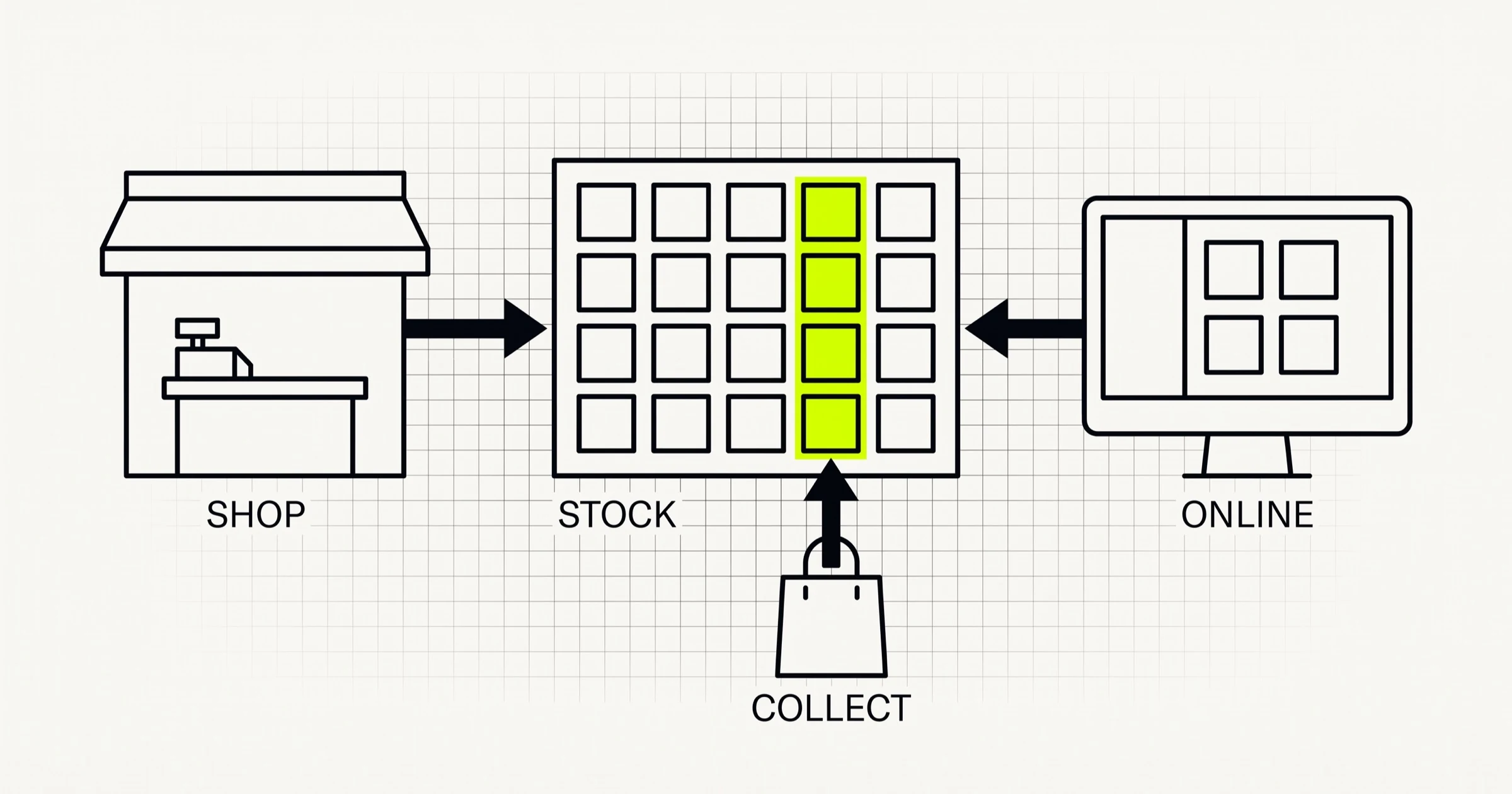
The fix is to decide where the truth lives. A stock service holds the count for every product at every location, and every sale, return, transfer and delivery is recorded there as an event. The till and the online store stop owning stock and start asking for it. That one decision changes how everything else is built.
Decisions that matter more than the technology
- Stock per location, not per business. A total across all shops is useless to a customer choosing where to collect. Model each shop, warehouse and van as a location from the first version.
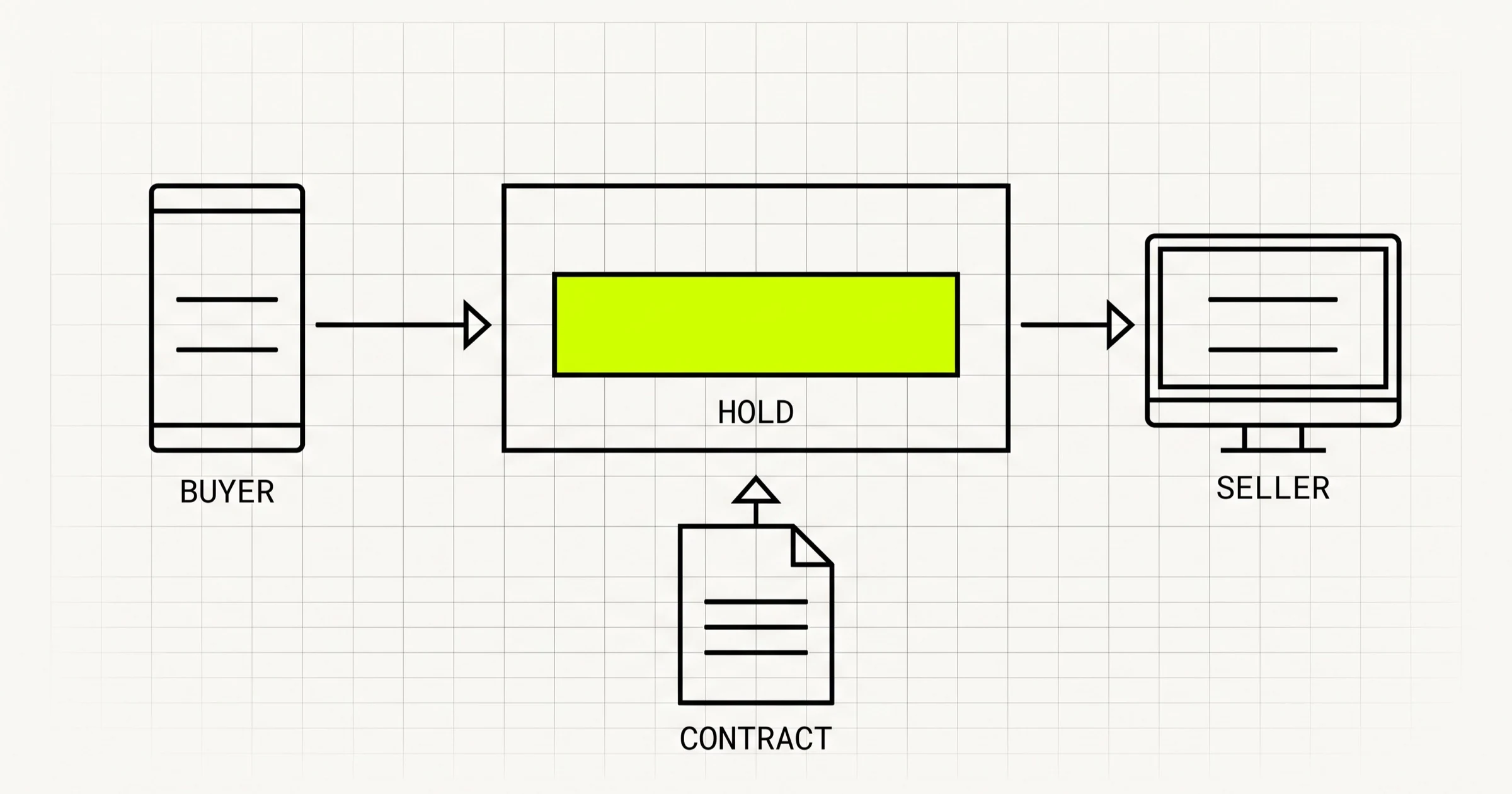
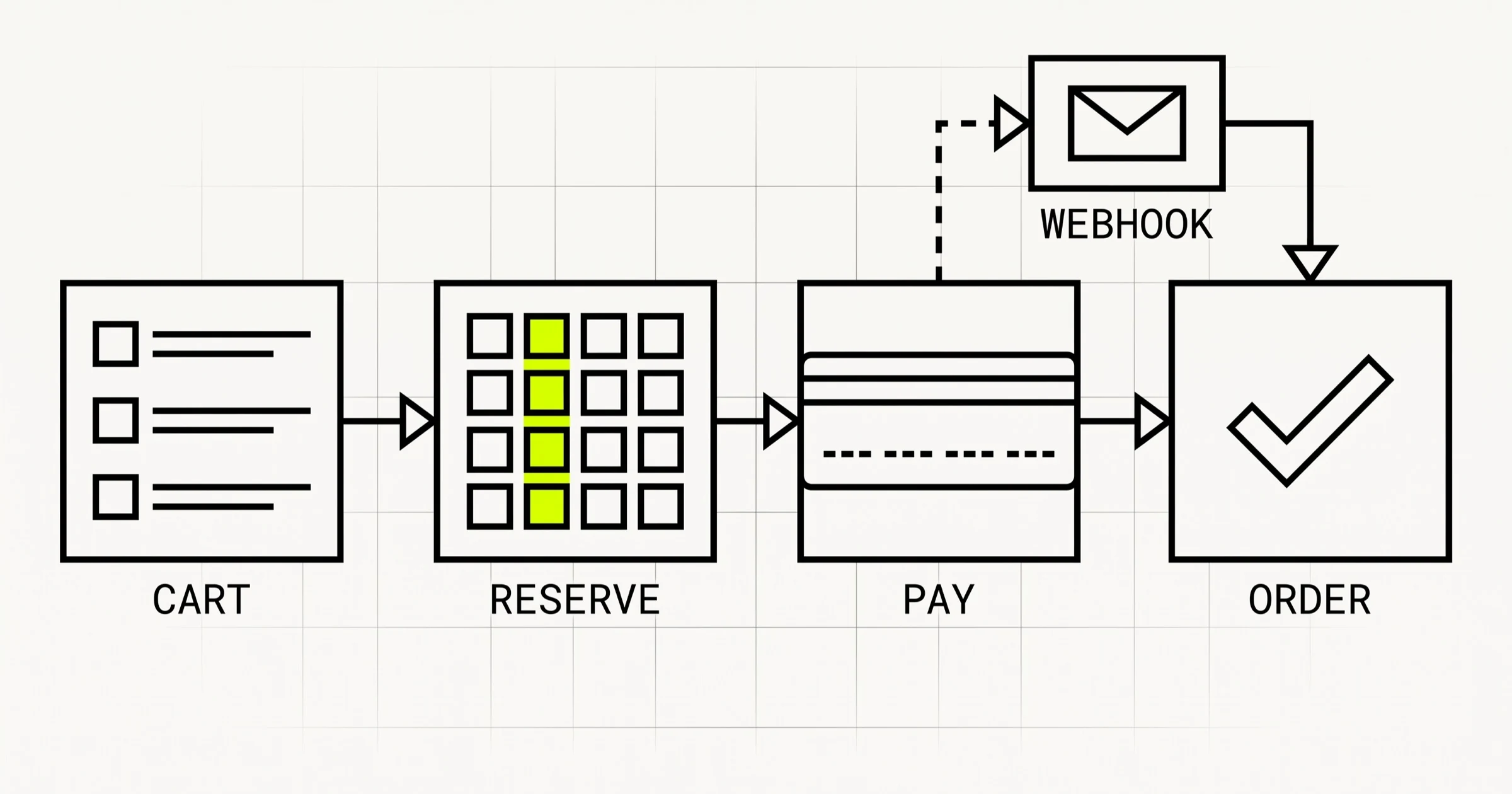
- Reservations. An item in an online basket, or picked for collection, is not available to sell, but it has not been sold either. Without a reserved state, the numbers drift every day.
- A safety buffer per channel. Showing the last unit online when a shop might sell it in the next minute is how oversells happen. A small buffer for fast-moving lines is a business setting, not an engineering compromise.
- Events, not overwrites. Recording "sold one" rather than "stock is now four" means you can always explain a number, replay what happened and fix a sync failure without guessing.
Many till systems and e-commerce platforms can send an event when something sells and accept an update when stock changes elsewhere; check this for yours before anything else is designed. The build is the service in the middle and the rules it applies. That is also where most of the testing goes, because a stock bug in retail is a customer standing at a counter waiting for an item that does not exist.
Orders that cross channels: click and collect, ship from store, endless aisle
Once stock is right, the next commission is usually about orders that start in one channel and finish in another. Three patterns cover most of it:
- Click and collect. Ordered online, picked in a shop, collected by the customer. Needs the order to reach the right shop, a picking task for staff, a "ready" notification and a way to confirm collection.
- Ship from store. A shop with stock fulfils an online order the warehouse cannot. Needs routing rules and a way for a shop to accept or decline the order.
- Endless aisle. A customer in a shop orders something that is out of stock there, for delivery from another location. Needs staff to see stock elsewhere and place the order from the shop floor.
All three need the same thing underneath: an order that moves through clear states, placed, routed, accepted, picked, ready, collected or shipped, with a rule for what happens when a step fails. A shop that cannot find the item has to be able to say so, and the order has to go somewhere else rather than sit in a queue until the customer complains.
Customers judge all of this by the messages they receive. An order that is "processing" for two days feels lost even when it is not. Each state change worth knowing about, accepted, ready to collect, shipped, delayed, should trigger a message, and shops should have a time limit for each step so that a stuck order is flagged to someone before the customer notices.
Routing is where retailers save money or lose it. Sending every order to the nearest shop sounds right until one busy shop is picking all day while another sits idle. The rules usually start simple, nearest location with enough stock, and grow to include shop workload, opening hours and the cost of shipping from each place. Keep them as configuration that head office can change, not code that needs a developer.
Returns are where channels collide
Returns are the least glamorous part of retail software and a common source of bad data. Customers expect to return anything anywhere: bought online, returned in a shop; bought in one shop, returned in another. Each combination raises questions the systems must answer the same way every time.
- Where does the stock go? Back into the shop that received it, back to the warehouse, or written off as damaged. The choice changes availability online within minutes.
- How is the refund paid? To the original payment method, which may be an online card the shop's till cannot refund directly, or as store credit.
- Which sale does it reverse? The return has to be linked to the original order, or reporting by store and channel stops adding up.
- What stops abuse? Return windows, receipt checks and limits on refunds without a matching order are policy, but software is what enforces them consistently at every till.
A useful rule: design returns at the same time as orders, not after launch. Every state an order can be in needs a matching answer for "and what if it comes back from here?"
Store staff need their own tools
A lot of retail software never reaches a customer. It sits in the hands of staff picking orders, counting stock, receiving deliveries and looking up a customer's past purchases. These tools decide whether the systems above actually work on the shop floor.
- Picking and collection. A list of orders to pick, with location in the shop, a scan to confirm each item and a button that tells the customer their order is ready.
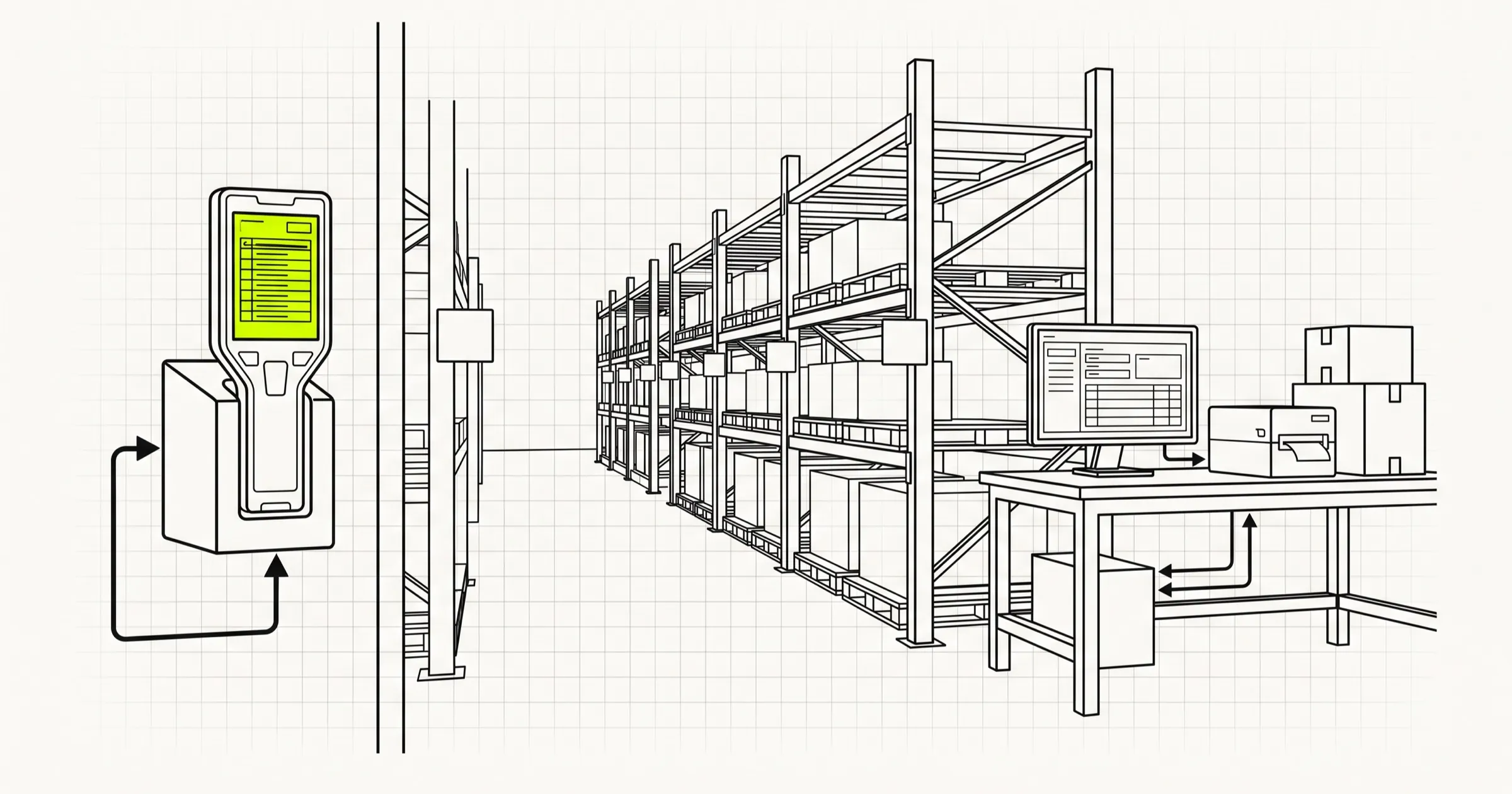
- Stock counts and receiving. Scanning deliveries in and doing spot counts, so the stock service is corrected by what is physically on the shelf.
- Customer lookup and returns. Finding an online order at the counter and processing a return against it.
Two design points matter here. First, these tools must keep working when the shop's internet does not: a picking app that freezes when the connection drops gets abandoned for paper. Scans should queue locally and sync when the connection returns. Second, they should be fast with one hand and a scanner, because that is how they are used. A cross-platform app on the phones or handhelds staff already carry is usually cheaper than dedicated hardware software, and our mobile app development work follows that approach.
What to keep buying and what to build
The cheapest retail software is the software you do not write. Till systems, e-commerce platforms, payment providers and accounting packages are mature products, and rebuilding them is rarely worth it. The build is the connective layer and the parts where your way of trading differs from everyone else's.
| Area | Usually keep buying | Usually worth building | Why |
|---|---|---|---|
| Till and card payments | An established POS product and payment provider | The sync from it to your stock and order services | Payments and till hardware carry compliance and support you do not want to own |
| Online storefront | A commerce platform, or a headless setup on one | Custom pages, product content and checkout rules if you outgrow themes | Platforms cover catalog, cart and checkout well; the gaps are specific to you |
| Stock | Per-system stock counts, for a single channel only | One stock service across every location and channel | No off-the-shelf tool knows your locations, buffers and reservation rules |
| Orders across channels | Platform order lists for single-channel selling | Routing, click and collect and ship from store | Routing rules are how you compete on delivery and use shop stock |
| Accounts | An accounting package | A daily reconciliation between till, online and accounts | The mismatch, not the bookkeeping, is the problem to solve |
| Reporting | Each system's own reports | One view of sales, stock and margin by store and channel | Decisions need the combined picture, every day, without an export |
Online marketplaces are one more channel in the same picture. If you list products on a marketplace as well as your own site, its orders and stock need to flow through the same stock and order services, or the marketplace becomes the place where oversells happen. Treat each marketplace as a location-aware channel with its own buffer, not as a separate business with its own spreadsheet.
The pattern in that table: keep the commodity systems, own the data that joins them. That is also what makes changing a till supplier or commerce platform later a contained project rather than a rebuild, because your stock, orders and reporting do not live inside it.
Build in the order the business feels the pain
Retail projects go wrong when they try to replace everything at once. The order below follows where the cost of a mistake is highest and where each step makes the next one possible.
- Stock service with locations. Everything else reads from it. Start by mirroring the existing counts, then switch channels to use it one at a time.
- Online availability from the stock service. The first visible win: fewer oversells, and stock by shop shown to customers.
- Click and collect, with the staff picking tool. It uses shop stock you already have and brings online customers into the shops.
- Returns across channels, designed against the order states you now have.
- Ship from store and routing rules, once shops are used to handling online orders.
- Reconciliation and reporting across till, online and accounts.
Reconciliation, the step everyone postpones
Reconciliation sits last in the list because it depends on everything above it, but it should be designed from the start. Every day, the takings recorded by each till, the payments received by the online store, the refunds issued and what lands in the bank should agree. When they do not, someone needs a report that shows which sale, refund or transfer is the odd one out, rather than a total that is simply wrong. Building that report is mostly a matter of giving every sale, refund and stock movement a reference that survives the trip between systems, which is far easier to do on day one than to retrofit.
One design decision belongs in step one even if you have a single shop today: treat location as part of every record from the first migration. We made the same call building Denti360, our dental practice software, where branch scoping was designed into the database schema from the first migration rather than added later. A dental clinic is not a shop, but the problem is the same: adding "which branch" to every table after launch is far more expensive than designing for it at the start.
What it costs, and how to scope it
Retail software is priced by scope, not by a fixed list. The drivers are the number of systems you connect, the number of locations and channels, how much staff tooling is needed and whether stores must work offline. At our published blended rate of about $20 per hour for a senior team, the e-commerce side follows our e-commerce app cost guide, and the back-office layer, stock, orders and reporting, follows the web application tiers in our web app cost guide.
What we would not do is quote a retail project from a feature list. The useful scoping questions are about how you trade:
- How many locations hold stock, and do they sell online, in store or both?
- Which till system, commerce platform and accounting package are you keeping?
- Where do oversells, lost collections or return errors happen today, and how often?
- Do shops need to keep working when their internet connection drops?
- What does head office need to see every morning that it cannot see now?
Our retail and e-commerce development work starts from those answers. A Scoping Sprint ($2,300, fixed, two weeks) ends with a clickable prototype, a technical plan and a fixed quote for the build, credited in full if we go on to build it.
Running shops and an online store that do not agree on stock? A Scoping Sprint ($2,300, two weeks) ends with your stock, order and returns flow mapped across every channel you sell through, a prototype, and a fixed quote. Or just start a conversation.