DatumQ — Manufacturing QA: Turn an engineering drawing into a ballooned inspection sheet in minutes, not hours.
DatumQ reads a CAD-exported drawing, finds every inspectable characteristic, numbers each with a balloon, and generates a ready-to-use ballooned PDF and Excel inspection sheet.
Before any part is inspected, someone has to “balloon” the drawing: number every dimension and characteristic by hand and transcribe each one, value, tolerance and type, into an inspection sheet for First Article Inspection (AS9102), PPAP or incoming-quality checks.
On a busy drawing that is hours of tedious, error-prone work, repeated for every revision. DatumQ does that first pass automatically, so a quality engineer reviews and corrects instead of typing everything from scratch.
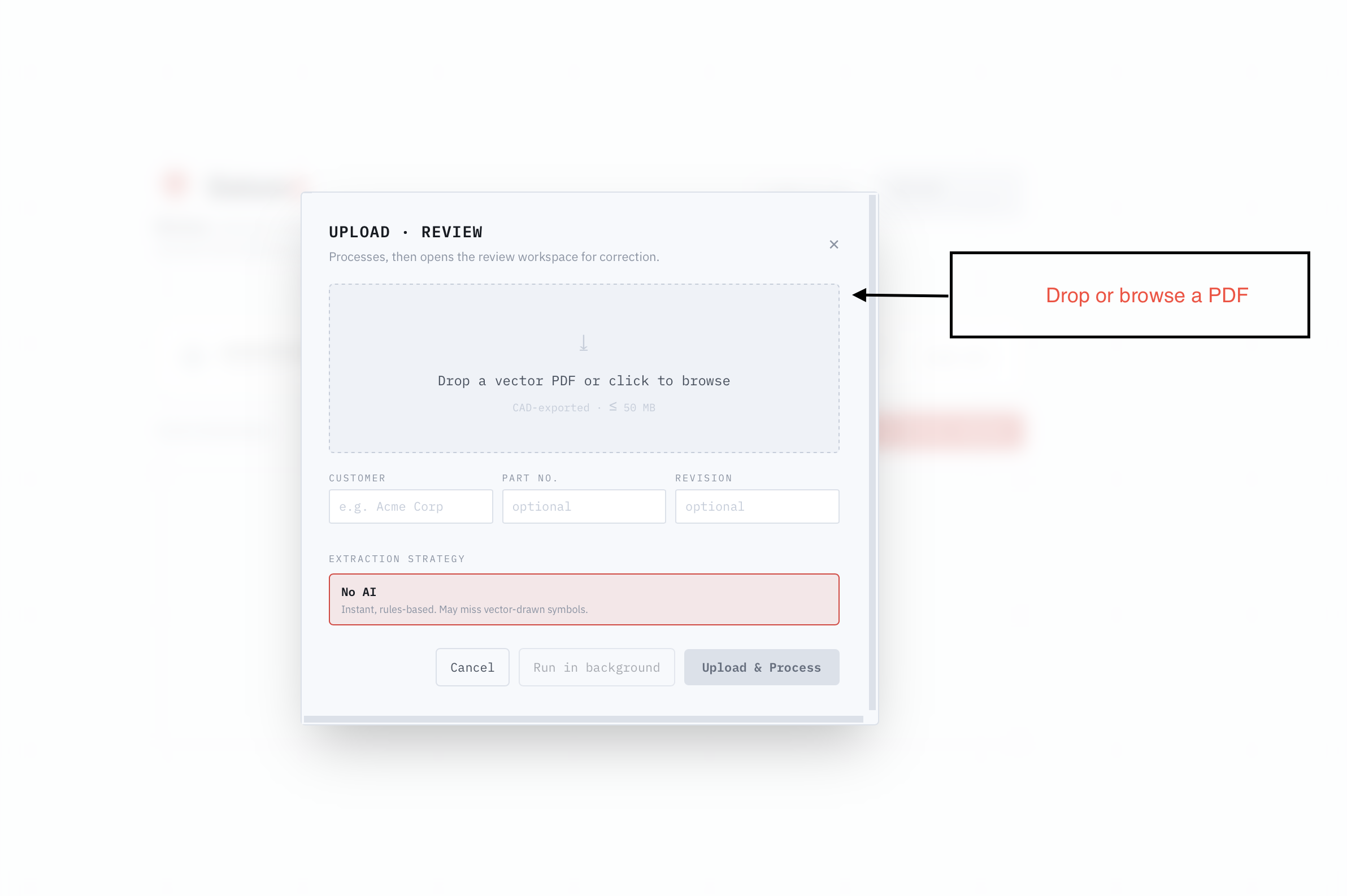
Upload
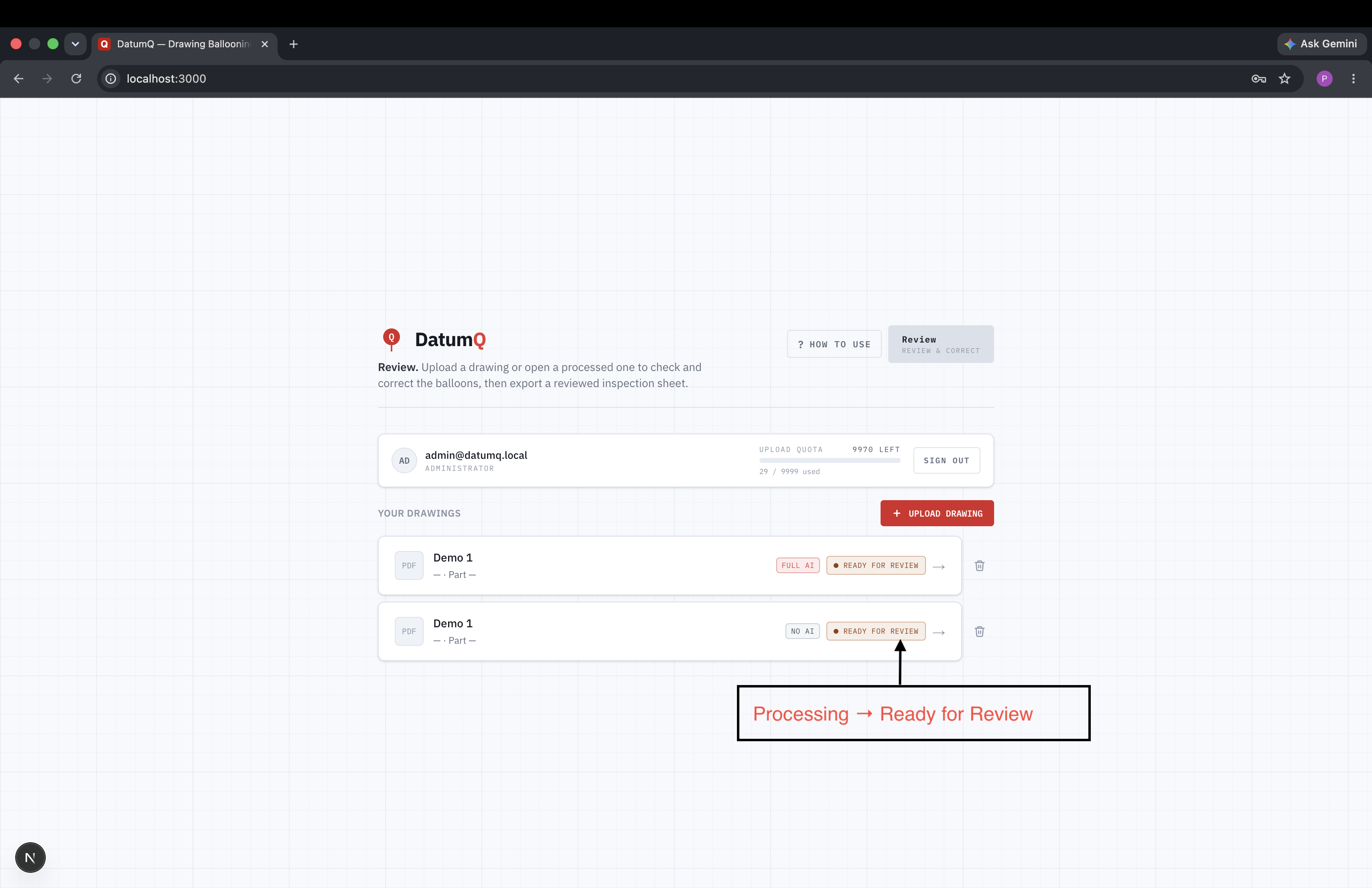
Add a CAD-exported drawing (vector PDF).
Extract
DatumQ detects every characteristic and auto-numbers the balloons.
Review
Check and correct on an interactive canvas and editable table: add, move, delete, edit, re-number.
Export
Download a ballooned PDF and an Excel inspection sheet.
Built for the way the work actually runs.
Detects the hard cases
Dimensions, tolerances, diameters, radii, threads, chamfers, angles, GD&T frames, surface finish and notes, including symbols drawn as vector geometry and values rotated along dimension lines.
Extraction modes
No-AI (deterministic, private, free), AI Assist (AI reviews only uncertain rows) and Full AI (AI reviews every row and removes noise), chosen per upload.
Review workspace
Numbered balloons on the drawing, matched to an editable table; select either side to highlight the other, drag balloons, edit values, apply ISO-2768 in one click.
Inspection-ready outputs
Ballooned PDF over the original drawing, plus an Excel sheet with every characteristic as a row ready for the shop floor.
Hours → minutes
First pass
Fully local, private
No-AI mode
Cloud or on-premise
Deployment
The same team you'd hire.
DatumQ pairs a rules-based extraction engine with an optional AI vision pass, so confidential drawings can be processed fully locally with no external calls. The whole stack can run on your own server or private cloud. It is the kind of narrow, high-value automation we build for clients, proven on our own product first.
What does DatumQ do? +
It reads a CAD-exported engineering drawing, finds every inspectable characteristic, balloons them and generates a ballooned PDF plus an Excel inspection sheet for FAI (AS9102), PPAP and incoming inspection.
Can it run without sending drawings to the cloud? +
Yes. No-AI mode is fully deterministic and local, so confidential drawings never leave the environment, and the whole stack can be deployed on-premise.
Who is it for? +
Quality engineers, inspection teams, machine shops and manufacturers who balloon drawings by hand today.
 Dental practice SaaS
 Practice management for multi-branch dental clinics: appointments, patients, billing and operations in one place.
Explore Denti360 →Plant vehicle compliance and gate-pass system: resolve a vehicle's compliance and issue an auditable gate pass in seconds.
Explore Cleargate →Like how we think?
See it applied to your idea, a 2-week, fixed-price Scoping Sprint: prototype, technical plan and a fixed quote. Credited in full if we build together.