Micro frontends solve an organisational problem, not a technical one, and most teams that adopt them do not have that problem. The single thing the architecture buys you is the ability for separate teams to deploy separate parts of one interface on separate schedules. If you do not have separate teams blocked on each other's release cycles, you are paying a large bill for a benefit you cannot spend.
That framing is unpopular because the usual list of benefits is much longer. Technology freedom. Fault isolation. Smaller bundles. Incremental migration. Independent scaling. Almost every item on that list is either untrue, or true but available far more cheaply inside a single well structured application. Fault isolation is an error boundary. Smaller initial payload is route level code splitting. Incremental migration off an old framework is a reverse proxy and a route table, and it is temporary by design. None of those require you to split your build.
What follows is the honest version: what the architecture actually does, what it costs, how the integration options differ, and how deployment works in practice, which is the part people search for and the part most articles cover last. There is also a table for deciding whether you need any of this, and a lot of its rows say no.
The only benefit that is genuinely hard to get another way
Picture a single interface with five teams shipping into it. Search, catalogue, checkout, account, and a merchandising team that owns the homepage. In a single application with a single pipeline, they share a release. That means they share a merge queue, a failing test, a rollback, and a calendar. When checkout finds a bug at 4pm, the merchandising team's finished work sits unreleased until it clears.
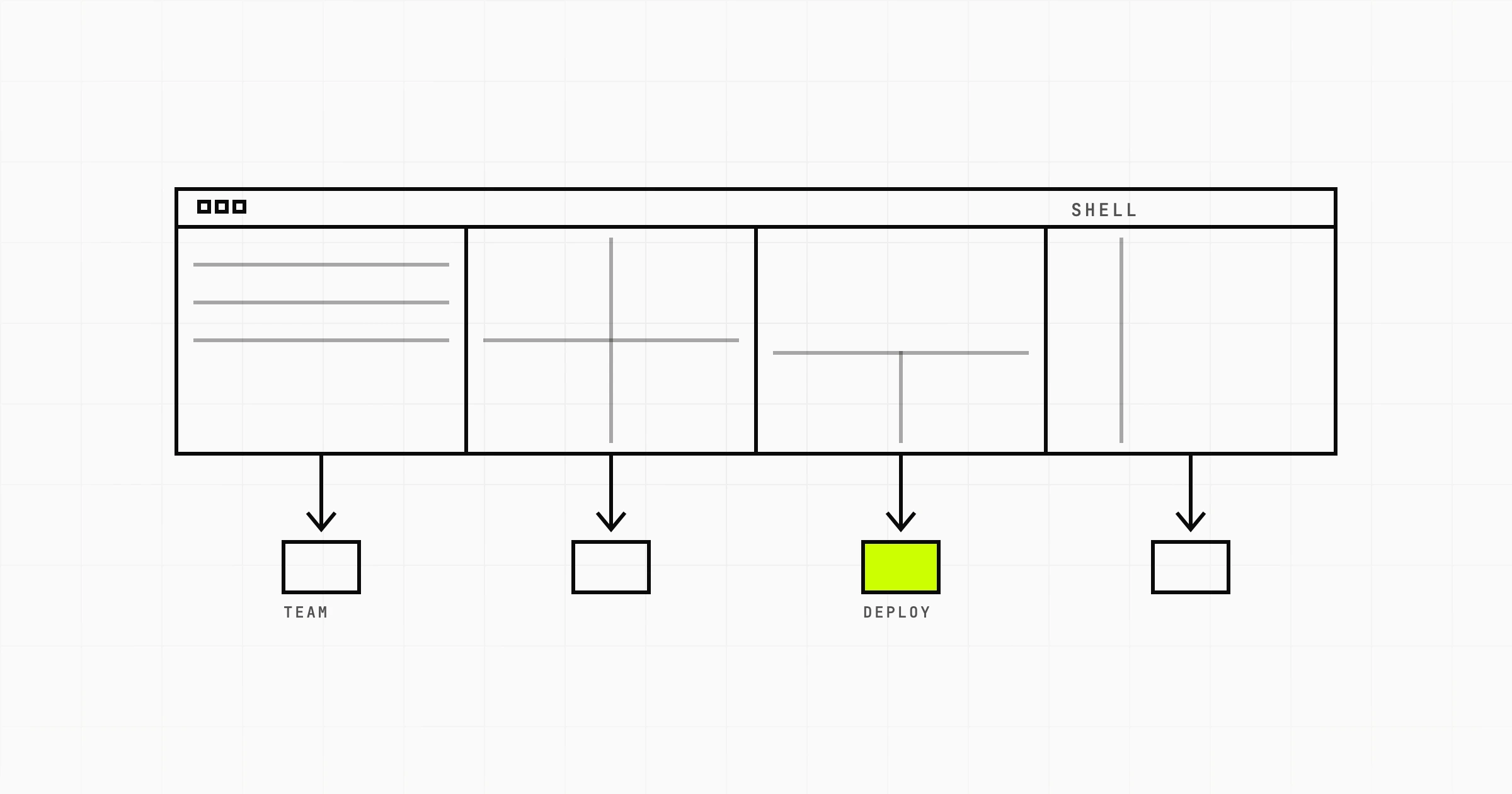
Micro frontends break that coupling. Checkout builds and deploys its own bundle, on its own pipeline, at its own cadence, and the shell composes it at run time. Nobody waits. That is the product you are buying, and it is real. Coordination cost in a shared codebase grows faster than headcount, and past a certain size the release calendar becomes the bottleneck rather than the engineering.
The question is whether you are past that size. Five teams is roughly where the pain starts to justify the cure. Two teams is not. One team with a large codebase is definitely not, and a large codebase is a modularity problem, not a deployment problem.
The signals that you actually have the problem
You have the organisational problem micro frontends address if several of these are true, not one:
- There is a recurring meeting whose only purpose is agreeing what ships this week.
- Teams routinely delay finished work because another team's change is not ready.
- A rollback by one team reverts work belonging to three others.
- You acquired a product and now run two frameworks in one interface, with no plan to converge for a year or more.
- A long migration, Angular to React or an equivalent, needs both stacks live in production side by side for many months.
- Teams are in different time zones and cannot share a release window without someone working nights.
If your honest answer is that the codebase is messy and builds are slow, that is a different problem with a much cheaper fix. Module boundaries, an enforced dependency graph, and a faster bundler will do more for you than a distributed frontend, and they will not add a runtime failure mode.
What independent deployment actually costs
This is where most explainers get quiet, so here is the bill in detail. None of these are unsolvable. All of them are ongoing work that a single application does not require.
- Bundle duplication. Each piece ships its own dependencies unless you carefully share them. Three teams on React means either three copies of React on the wire, or a shared singleton that every team must upgrade together, which reintroduces the coupling you were escaping.
- Cross application communication. The header needs to know the cart count. The cart lives in another deployable. You now need a contract, usually a custom event bus or a shared store, and that contract is untyped across a bundle boundary unless you invest in generating types from it.
- Design consistency. Two buttons rendered by two teams must look identical. That means a versioned component library, a release process for it, and a policy for how long old versions stay supported.
- Routing across boundaries. Someone owns the URL space. Deep links, back button behaviour, and route transitions between two independently loaded applications are a real source of bugs, especially where one piece renders inside another.
- Authentication and session. A token refresh must not race between three pieces that each think they own it. Silent session expiry that logs out one region of the page and not another is a genuinely bad user experience, and it is easy to build by accident.
- Debugging across a boundary. A stack trace that crosses from the shell into a remote bundle is harder to read, source maps need to resolve per remote, and error reporting needs to attribute the failure to the right team.
- Observability. You need per piece error rates, per piece performance, and a way to correlate a single user session across all of them. This is not free tooling work.
- Local development. A developer changing the header may need the shell plus two remotes running locally to see their change in context. Teams solve this with proxying to deployed remotes, which works until the deployed remote is broken.
The worst of them is version skew. Two regions of the same screen can be running different builds of a shared dependency at the same moment, because they deployed at different times. That is not a hypothetical. It is the normal steady state of the architecture, and it produces bugs that only appear in production, only for some users, and only for the window between two deployments.
Then there is the cost the user pays. More JavaScript, more requests, more parse time, and a run time composition step before anything renders. A shell that fetches remote entry points before it can paint has added a network round trip to the critical path. That shows up in Largest Contentful Paint, and it shows up on mid range Android phones long before it shows up on your laptop.
Four ways to integrate, and when each one fits
Build time integration
Each piece is published as a versioned package and the shell installs them. Simple, well understood, and it gives you exactly none of the independent deployment benefit: shipping a change means bumping a version and redeploying the shell. Useful as a shared component library. Not useful as a micro frontend strategy, because the coupling is still there.
Run time integration through module federation
The shell loads remote bundles at run time, and dependencies can be declared as shared singletons. This is what most people mean when they say micro frontends today. It is the only mainstream option that delivers genuine independent deployment with a shared dependency graph. It is also where version skew, shared singleton negotiation, and remote load failure handling all live. Choose it when independent deployment is the actual goal and you have the engineering capacity to own the failure modes.
Iframes
Unfashionable and honestly underrated for a narrow case. You get real isolation of CSS, JavaScript, and crashes, with almost no shared machinery. You pay for it with awkward routing, awkward resizing, focus and accessibility problems, duplicated dependencies, and communication limited to message passing. If the embedded thing is a genuinely separate application, a legacy admin tool or a third party module, an iframe is often the correct and cheapest answer. If it is one region of a shared page that needs to feel native, it is not.
Server side or edge composition
Fragments are assembled into one HTML document before the browser sees it, at the origin or at the CDN edge. The user gets a single document and good first paint, which is the strongest option for content heavy pages that need to perform well in search. The cost moves to your infrastructure: fragment timeouts, caching per fragment, and a composition layer that becomes a shared dependency of its own. Worth it when page performance is a business metric and the pieces are largely static per request.
Micro frontend deployment in practice
Deployment is the whole point, so it deserves more than a paragraph about CI tooling.
Independent pipelines mean independent artefacts. Each piece builds to an immutable, content hashed bundle at a stable URL, and the shell resolves which version to load from a manifest rather than from a hardcoded path. Deploying is then two steps: publish the new bundle, then update the manifest entry. Keep those steps separate. It makes rollback trivial, because rolling back is just pointing the manifest at the previous hash, with no rebuild and no pipeline run.
Contract testing replaces the integration test you no longer have. Once teams deploy independently, nobody runs a build that contains all the pieces. So the interfaces between them need to be pinned: the props the shell passes to a remote, the events a remote emits, the shape of the shared auth context. Each team tests its side against the recorded contract in its own pipeline, and a contract change becomes an explicit, versioned event rather than a surprise at run time. Without this, the architecture quietly degrades into a distributed system with no schema.
Rolling back one piece must not require rolling back the others. This works only if the pieces are backward compatible across at least one version. Practically: additive changes only on shared contracts, deprecate before you remove, and keep the previous bundle live and reachable rather than deleting it on deploy.
Shared dependency upgrades are the failure case to design against. If upgrading the shared framework or the design system forces every team to release together on the same day, you have rebuilt the release train inside a more complicated architecture. Avoid it by allowing a version range rather than one exact singleton, by supporting two adjacent major versions of the component library at once, and by treating shared dependency upgrades as a migration with a deprecation window rather than a coordinated cutover. If you cannot do that, you do not really have independent deployment, and it is worth asking what the split is still buying.
Should you use micro frontends? A decision table
| Your situation | What to do |
|---|---|
| One team, any codebase size | Modular monolith. Enforce module boundaries and split routes lazily. There is no deployment coupling to break. |
| Two or three teams, one framework, shared release is occasionally annoying | Modular monolith with clear code ownership and feature flags. Cheaper than the alternative by a wide margin. |
| Five or more teams, release calendar is the bottleneck | Micro frontends via run time integration. This is the case the architecture was designed for. |
| Post acquisition, two frameworks, must coexist for a year or more | Run time integration, or iframes if the products stay genuinely separate. Set a convergence date anyway. |
| Long framework migration, both stacks live for months | Route level split behind a proxy. Temporary by design, removed when the migration finishes. |
| Embedding a legacy admin tool or a third party application | An iframe. Isolation is the requirement, and you get it almost for free. |
| Content heavy pages where first paint is a business metric | Edge or server side composition, not client side composition. |
| Builds are slow and the codebase is tangled | Fix the build and the module graph. Splitting deployments will not fix either, and will add new failure modes. |
| Startup pre product market fit | One application. Optimise for changing your mind cheaply, which a single codebase does best. |
The cheaper architecture that gets you most of the way
Before splitting deployments, exhaust the options inside one application. A well modularised codebase with enforced boundaries gets you most of the isolation. Enforced means a lint rule or a dependency checker that fails the build when the checkout module imports from the search module's internals, not a wiki page saying please do not. Boundaries that are only social do not survive a deadline.
A shared component library gets you visual consistency without any run time composition, and it is worth building even if you never split anything. Writing the design rules down early is what makes work distributable: on Nestlet, our in house marketplace for short term residential leases, a full design guideline document was written up front so the build could be handed to different developers or coding agents and come back consistent. That is the same problem a micro frontend estate has, solved with a document instead of a distributed system.
Feature flags give you the independent release timing that most teams actually want. Merge continuously, deploy continuously, and let each team decide when its work becomes visible. That covers a surprising share of the pain people attribute to shared releases, at a fraction of the cost. Add clear code ownership so reviews route to the right people automatically, and you have removed most of the coordination overhead without changing your architecture at all.
Our published position on this is unchanged: a well structured monolith with a proper deployment pipeline carries a product a very long way. Most teams reach for distribution well before the coupling actually hurts, and then spend the following year paying for it. If you are weighing the build effort either way, the web and web app cost guide sets out what each level of complexity realistically costs, and our approach to web application development starts from the smallest architecture that fits the team you have, not the one that fits the team you might have in three years.
Part of this decision is about people rather than code. If the real constraint is parallel throughput, adding dedicated developers to a well modularised codebase is usually faster and less risky than distributing the frontend for teams you have not hired yet. Denti360, our dental practice management SaaS, is multi branch, in daily production use, and still a single application.
Not sure whether your frontend pain is an architecture problem or an org chart problem? A Scoping Sprint ($2,300, two weeks) ends with a frontend architecture recommendation made for your team and release process, a prototype, and a fixed quote. Or just start a conversation.