If your React, Vue or Angular app is not ranking, the content is rarely the problem. The problem is that the crawler was handed an empty div and asked to build the page itself, and it either never got round to it or it got a different page than your users get.
JavaScript SEO is not a checklist of tags. It is one architectural question with a lot of downstream consequences: at the moment a crawler requests your URL, does the HTML that comes back already contain the content you want indexed? If yes, most of the classic problems disappear. If no, you are relying on a rendering step that is queued, budgeted, and allowed to fail quietly.
Google does execute JavaScript. That gets repeated so often that teams treat it as permission to ship a pure client-rendered app and move on. It is true, and it is not the whole story. Execution happens on a delay, with a budget, in a stateless headless browser, and every other crawler has its own answer. A page that renders perfectly in your browser can be indexed as a blank shell, indexed with last month's content, or not indexed at all.
What follows is what breaks, roughly in the order it breaks, and how to work out which one is happening to you.
How Googlebot actually handles your JavaScript
Indexing a JavaScript page happens in two waves, and the gap between them is where most damage occurs.
In the first wave, Googlebot fetches the URL and parses the raw HTML response, extracting links, meta tags and whatever text is present. If that body is a shell with a root div and a bundle tag, the first wave sees a page with no content and no links. The URL goes into a render queue.
In the second wave, a headless Chromium instance pulls the URL off that queue, runs your JavaScript, waits for the network to settle, and produces a rendered DOM. That DOM is what gets indexed. The queue delay is not published, not guaranteed, and not the same for every site. A high-authority news site gets rendered quickly. A new site with thin link equity waits longer, and low-value URLs keep getting deprioritised behind more important ones.
Several things reliably break during that second pass:
- Blocked resources. If your bundle, your API domain, or your CDN path is disallowed in robots.txt, the renderer cannot fetch it and renders nothing. This is the single most common self-inflicted wound.
- Failed or slow API calls. The renderer does not retry forever. A content fetch that errors, rate-limits the crawler's IP range, or takes several seconds produces an empty state that gets indexed as the page.
- Stateful assumptions. The renderer is a fresh session every time. It does not carry cookies between page loads the way a user does, it declines permission prompts, and it does not click, scroll on demand, or accept your cookie banner. Anything gated behind those never exists.
- JavaScript errors. One uncaught exception in a component above your content and the render output is whatever was on screen when it threw.
Then there is everything that is not Googlebot. Many crawlers execute no JavaScript at all, including most social and chat link preview fetchers, plenty of smaller search engines, and a good share of the crawlers that feed AI answer systems. For those, client-side rendering is not a delay. It is a blank page, permanently.
Your rendering strategy decides what the crawler sees
All of that is downstream of one choice. The terms get used loosely, so it is worth being precise.
Client-side rendering (CSR)
The server returns a near-empty HTML document plus a JavaScript bundle. The browser builds the DOM. Fast to develop, cheap to host, and the worst case for search. The crawler's first wave gets nothing, and everything depends on the render queue.
Server-side rendering (SSR)
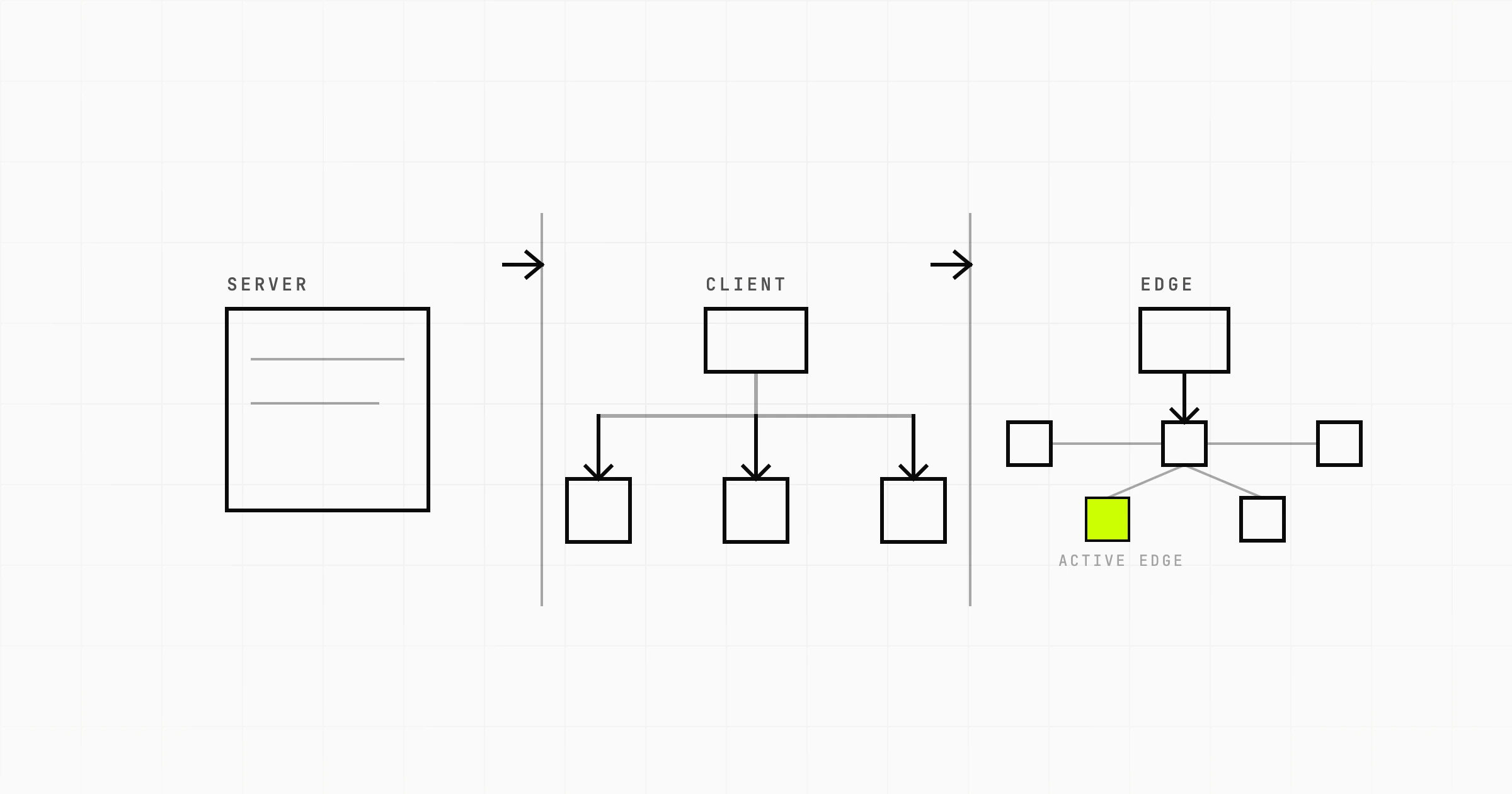
The server runs your components per request and returns complete HTML, then the client bundle hydrates it into an interactive app. Crawlers get content on the first response. The cost is a running server, a real time-to-first-byte to defend, and cache strategy work.
Static site generation (SSG)
Pages are rendered to HTML at build time and served as files. The most reliable option for anything that does not change per request, because there is no server to time out and no render to wait for. The limits are build duration as page count grows, and staleness between deploys. Incremental or on-demand revalidation, which most frameworks now support, closes the staleness gap by regenerating individual pages.
Hydration, and why it matters here
SSR and SSG both usually ship a bundle that takes over the server-rendered markup, and two things go wrong there. First, a hydration mismatch: the client renders something different from the server output, so React or Vue throws away the server markup and rebuilds. If the rebuild depends on a client-only data source, your indexed content and your visible content diverge. Second, hydration cost. You served fast HTML and then blocked the main thread parsing and executing JavaScript, which shows up in Interaction to Next Paint and, on mobile, in whether the page is usable at all. Partial hydration and islands architecture exist to avoid shipping interactivity for content that has none.
Dynamic rendering
Detect the crawler's user agent and serve it prerendered HTML while users get the SPA. Google describes this as a workaround rather than a recommendation, and it earns that. You maintain two renderings that drift apart, and the version you test is not the version users get. Defensible as a temporary bridge on a large legacy SPA. Not a destination.
Which strategy fits your situation
| Your situation | Strategy that fits | Why | What to watch |
|---|---|---|---|
| Marketing site, blog, documentation, changes on deploy | Static generation | The HTML exists before the request. Nothing to render, nothing to queue, nothing to time out. | Build time as page count grows into the thousands |
| Catalogue or storefront with prices and stock that move | SSR, or SSG with on-demand revalidation | Fresh HTML per request, cached at the edge, crawlable the moment a product changes | Cache correctness, TTFB under crawl load, faceted URL explosion |
| Marketplace or user-generated listings | SSR for listing and detail routes | New pages must be crawlable the day they are created, not after the next build | Thin and near-duplicate pages, canonical handling, noindex rules for empty results |
| Logged-in dashboard or internal tool | Client-side rendering is fine | None of it should be indexed anyway | Do not put marketing pages inside the same app shell |
| Highly interactive product, editor, canvas, map | Split: static or server-rendered landing pages, CSR app | The app does not need to rank, the pages that sell it do | Keep the app off the indexable route tree entirely |
| Existing SPA you cannot rewrite this quarter | Prerender the SEO-critical routes now, migrate templates to SSR over time | Gets the handful of pages that carry revenue into real HTML first | Two systems in parallel, drift between them, and a rewrite that never finishes |
The honest version: static generation or server rendering solves most JavaScript SEO problems outright, and making a pure client-side app rank through tooling and workarounds is usually the more expensive path. Prerendering services, bot detection and render budget management are recurring costs and recurring bugs. Moving a template to server rendering is a one-time cost that also makes the page faster. If you are weighing that migration against a rebuild, our breakdown of web app build costs is a reasonable place to start the budget conversation. The site you are reading this on is a statically generated build, for the reasons in the first row of that table.
JavaScript SEO best practices, ordered by how much they actually matter
- Put the primary content in the initial HTML response. Everything else on this list is a rounding error next to this one.
- Unblock your JavaScript, CSS and API routes in robots.txt. Check it before you do anything clever.
- Render your title, canonical, meta description and structured data on the server. Not in a client effect.
- Use real anchor tags with real href attributes for anything you want crawled.
- Give every indexable view a distinct URL that returns the right content on a cold direct load, not just via client navigation.
- Return real status codes. A missing product must be a 404 or 410 from the server, not a 200 with a "not found" component.
- Cut the bundle. Code split by route, defer third-party scripts, and audit what you actually ship on the critical path.
- Do not hide indexable content behind interaction. Tabs and accordions are fine if the content is in the DOM. Content fetched on click is not.
Links, routing, and content the crawler never reaches
Anchors with hrefs, not click handlers
Googlebot discovers pages by finding link destinations on anchor elements in the HTML. A div with an onClick that calls router.push is invisible to it. So is an anchor whose destination is a bare hash, or one with no destination attribute at all, and so is a button styled to look like a link. Every router in the React and Vue ecosystems renders a proper anchor when you use its Link component correctly, and every one of them lets you accidentally bypass that. Programmatic navigation is fine for actions. It is not fine for your category pages. Check it the fast way: fetch the page with curl and grep the response for anchor tags. If your navigation is not in there, neither is the rest of your site as far as the first crawl wave is concerned.
Fragment routing is a dead end
URLs that distinguish pages only by the fragment, anything after the hash, are treated as one URL. The History API has been the correct answer for a long time. If you still have hash routing on indexable content, that is the migration to do first.
Lazy loading and infinite scroll
Lazy loading images is good and native loading="lazy" is understood fine. Lazy loading text content is where sites lose pages. An intersection observer that fetches the next batch when the user scrolls does not fire for a crawler that does not scroll, so only the first batch ever gets indexed.
The fix is not to remove infinite scroll. Back it with real paginated URLs that work on a direct load, so page two of a listing exists at its own address and links to page three with an anchor. Keep the scroll behaviour for users, update the URL with the History API as they go, and make sure a crawler arriving cold at any of those URLs gets a complete server-rendered page. A "load more" button is safe on the same condition: the content it loads must also be reachable through a crawlable link.
Titles, canonicals and meta tags that arrive too late
Head management libraries make it easy to set the title, description and canonical from inside a component. That code runs during rendering. If rendering happens on the client, the HTML the first crawl wave sees contains whatever placeholder sits in your index template, usually the same title on every URL.
Google does pick up client-injected head tags once it renders the page, with two exceptions worth respecting. Treat the canonical as something that must be in the server response, because a client-injected canonical is easy to get wrong and conflicting signals resolve unpredictably. And a robots meta tag that starts as noindex and gets replaced by JavaScript is genuinely dangerous: if the crawler reads the initial noindex and never completes rendering, the page drops out. Structured data has the same shape of problem. JSON-LD injected after load can be read, but server-rendering it costs nothing and removes a whole category of failure.
One more thing that only shows up in client-rendered apps: soft 404s. A user navigating to a deleted product sees a friendly message. The server returned 200 with a shell. Google sees a successful page with almost no content, decides it is a soft 404, and can generalise that judgement to similar URLs. Return the real status code from the server.
Optimizing JavaScript-heavy pages for mobile SEO
Mobile-first indexing means the mobile render is the render that counts. Not your desktop Lighthouse score, not the page on your laptop. Google crawls and evaluates with a mobile user agent and viewport, on a simulated device slower than the phone in your pocket.
That matters more for JavaScript-heavy pages than for anything else, because bundle cost is not linear across devices. Network transfer is roughly the same. Parse, compile and execute time is not: a mid-range Android device can take several times as long as a desktop machine to work through the same megabyte of JavaScript, on a thermally throttled core that is also decoding your images. A bundle that feels instant in development can leave a real phone visibly broken for a second or two.
What this means concretely:
- Content parity is not optional. If your mobile layout hides sections, collapses copy, or serves a lighter component tree that omits content, the omitted content is not indexed. Same content, same structured data, same meta tags, same links on both.
- Main thread time is the metric to watch, not page weight. Interaction to Next Paint punishes long tasks. Hydrating a whole page of components that contain no interactivity is the usual culprit. Ship less JavaScript before you optimise the JavaScript you ship.
- Server-render the mobile critical path. Largest Contentful Paint on a client-rendered page is gated on bundle download plus parse plus execute plus data fetch. On a server-rendered page it is gated on the HTML response. There is no tuning that closes that gap.
- Test with throttling on. Lighthouse mobile with CPU throttling, or a real low-end device, is the only honest signal. Unthrottled desktop numbers are how teams talk themselves into a heavy bundle.
- Interstitials and consent walls count. A modal that covers the content on a small viewport is a mobile usability problem and, if it blocks rendering, a content problem too.
This bites hardest on commerce and catalogue builds, where the product page carries both the ranking burden and the heaviest component tree. There the rendering split matters as much as the framework: a headless storefront architecture only pays off if the storefront half is server-rendered.
Node.js SEO: what changes when you render on the server
"Node SEO" usually means one of two things: an Express or Fastify app serving templates, or a React or Vue front end about to get a Node rendering layer in front of it. The second is the common case.
Server rendering on Node moves the work from the user's phone to your infrastructure. That is a real win for search, and it hands you problems you did not have before:
- Time to first byte becomes yours to defend. Rendering a component tree per request costs CPU, and if your render calls three APIs in sequence, TTFB is the sum of them. Crawlers notice slow servers and reduce crawl rate. Parallelise data fetching, set timeouts on every upstream call, and decide what the page renders when an upstream is down.
- Caching is now a correctness problem. Full-page caching at the edge is what makes SSR affordable, and it is also how a logged-in user's name ends up in a cached page served to everyone. Separate personalised fragments from the cacheable shell and be explicit about cache keys.
- Node is single-threaded per process. Synchronous rendering blocks the event loop. Under crawl bursts plus real traffic, one slow template can queue everything behind it. Streaming rendering helps, since it starts sending HTML before all data has resolved, which improves both the crawler's first byte and the user's first paint.
- Errors need a rendering fallback. If your render throws, do not send a 500 for a page that has content. Decide in advance whether the fallback is a cached copy, a reduced page, or a real error code, because a 500 served to a crawler at scale gets pages dropped.
- Server-only code leaking to the client. The mirror-image bug: importing a module that touches the filesystem or a secret into a component that also runs in the browser. Frameworks with server components and route handlers make that boundary explicit, which is a good reason to use one rather than assembling this by hand.
None of that is exotic. It is ordinary backend engineering, and it is the trade you accept in exchange for content that is already in the HTML. We build React and Node web applications, and the rendering decision belongs at the architecture stage rather than as a retrofit after a launch goes quiet in search.
Diagnose it instead of guessing
Most JavaScript SEO work goes wrong because someone changes three things at once on a hunch. Work through this in order.
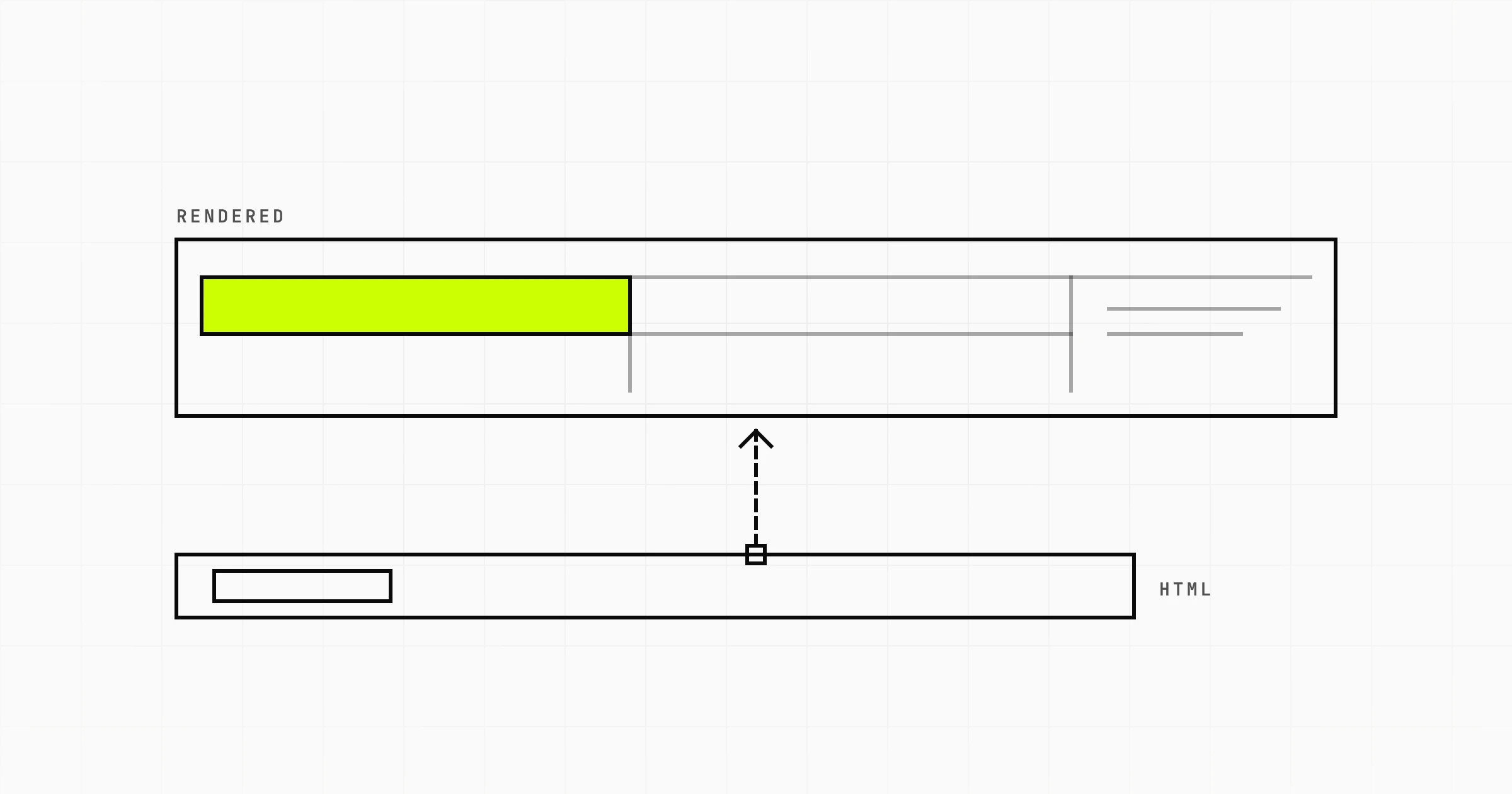
- View source, not Inspect Element. Inspect Element shows the rendered DOM. View source shows what the server sent. If your content is in the second one, you do not have a rendering problem. Curl works just as well.
- Disable JavaScript and load the page. Chrome DevTools, command menu, disable JavaScript, then hard reload. What remains is roughly what a non-rendering crawler gets, and it is a very fast reality check.
- Run the URL Inspection live test in Search Console. It gives you Google's rendered HTML, a screenshot, and the list of resources it could not load. The resource list is where blocked bundles and failing API calls confess.
- Read the index coverage reasons, not just the counts. "Discovered, currently not indexed" points at crawl budget and page value. "Crawled, currently not indexed" points at quality or duplication. A page that indexes but ranks with the wrong snippet points at head tags injected late. These are different problems with different fixes.
- Diff the rendered DOM against the source. Crawl the site with a tool that can render, then compare rendered output to raw HTML. The large gaps on your money pages are your work queue.
- Check server logs for crawler behaviour. Which URLs get hit, how often, what status codes they receive, and how much of the crawl is going to parameter junk instead of your product pages.
- Change one thing, then wait. Reindexing after a rendering change is not immediate. Fix the server response, request indexing on a sample of URLs, and give it real time before concluding anything.
If the diagnosis comes back as "the whole app is client-rendered and the pages that matter are invisible", the fix is architectural and worth scoping properly rather than patching. Prerendering middleware buys time. It does not buy a site that ranks.
Is your React or Next.js application sitting on page five while the content is fine? A Scoping Sprint ($2,300, two weeks) ends with a rendering architecture and migration plan made for your codebase, a prototype, and a fixed quote. Or just start a conversation.